This plugin adds Disqus comments and links to any Joomla article or blog view, it can be demo'd at the bottom of this page. Disqus is a powerful and free comment system that will integrate into any website.
Features at a glance
Specify your Disqus shortname
Select a language
Specify which categories will use the plugin
Specify individual pages to use the plugin
Enable or disable the comments link on the category listing
Enable or disable the comments link on the full article
Enable or disable the comments link on the featured articles
Occasionally we need to use custom html to obtain the layouts shown on our demos in specific modules. The code below is what was used on this template. It is best to enter this code directly into the HTML editor function of your editor.
Image and Content Fader Code:
Simply enter the images and into the default fields in the backend of the module. This demo uses 1599x936 images, but you can use any image size; just make sure they are all the same size. Features like size, zoom, slide effects, and others are controlled in the module's backend. The custom html for each text area is shown below. The title setting should be turned off, it is used in the text area for this design instead. This module is published to the custom_3 on the demo.
Code used for text area, the title setting should be turned off:
<span class="iacf_text">
<span class="iacf_title">Welcome to</span>
<span class="iacf_big_title">Your <span class="s5_highlightcolor1">Future</span> Life Now</span>
<span class="iacf_subtext">Our Undergraduate Research and Fellowships Programs helps student pursue fellowships, grants, scholarships and awards for study</span>
This is a custom html module published to the custom_2 position.
Code used for this area:
<a href="#"><span class="ion-card"></span> Give Now</a>
Top Rows:
These are three separate custom html module modules published to the top_row1 positions. Below is the code used for each area.
Code used for top row 1_1:
<p><img src="images/schoolimage.jpg" alt="school image" /></p>
<p></p>
<p>Campus life is the hub to a talented and diverse student community. If you're serious about academics and driven to turn opportunities into success, we want to hear from you.</p>
<br /> <a class="readon noarrow noback" href="#">Read More<span class="ion-android-arrow-forward"></span></a>
Code used for top row 1_2:
<p><img src="images/applygirl.jpg" alt="apply image" /></p>
<p></p>
<p>Lorem ipsum dolor sit amet, natum aeterno sanctus ei per, fastidii torquatos nam ex. An per quando ornatus platonem, suas prodesset vel ad</p>
<br /> <a class="readon noarrow" href="#">Courses PDF <span class="ion-ios-paper-outline"></span></a> <a href="#" class="readon gray">Apply <span class="ion-ios-book-outline"></span></a>
Code used for top row 1_3:
<div class="date_outer_wrap">
<div class="date_text_wrap">
<div class="date_wrapper">
<div class="date_top">DEC</div>
<div class="date_bottom">15</div>
</div>
Lorem ipsum dolor sit amet, natum aeterno sanctus ei per, fastidii torqu</div>
<div style="clear: both;"></div>
</div>
<br />
<div class="date_outer_wrap">
<div class="date_text_wrap">
<div class="date_wrapper">
<div class="date_top">NOV</div>
<div class="date_bottom">09</div>
</div>
An per quando ornatus platonem, suas prodesset vel ad</div>
<div style="clear: both;"></div>
</div>
<br />
<div class="date_outer_wrap">
<div class="date_text_wrap">
<div class="date_wrapper">
<div class="date_top">OCT</div>
<div class="date_bottom">23</div>
</div>
An per quando ornatus platonem, suas prodesset vel ad per</div>
<div style="clear: both;"></div>
</div>
<br /><br /> <a class="readon noarrow noback" href="#">More Events<span class="ion-android-arrow-forward"></span></a>
Campus Life video tour and more:
This is a custom HTML module published to the custom_4 position.
Code used for the module:
<div class="pages_portfolio two main">
<div class="pages_padding module_round_box">
<div class="overlay_hover_outer">
<div class="overlay_hover_inner2">
<div class="overlay_centered"><span class="hide_mobile"><span class="s5_videoicon ion-ios-videocam"></span></span>
<h3 class="s5_mod_h3"><span class="s5_h3_first">Main Campus</span> <span class="s5_h3_last">Virtual Tour</span></h3>
<span class="s5_pages_maintext"><span class="hide_mobile">Take a look around the campus and see what we have to offer <br /> <br /></span></span> <br />
<a class="readon noarrow" href="#">Play Video <span class="ion-ios-videocam"></span></a> <a class="readon white" href="#">View All Videos</a></div>
</div>
<div class="overlay_hover_inner"></div>
<img alt="image" src="images/videoback.jpg" /></div>
</div>
</div>
<div class="pages_portfolio two">
<div class="pages_padding module_round_box">
<div class="pages_square">
<div class="pages_50 pages_top_left">
<div class="pages_fontsize">
<h3 class="s5_mod_h3"><span class="s5_h3_first">Campus</span> <span class="s5_h3_last">Life</span></h3>
</div>
Lorem ipsum dolor sit amet, natum aeterno sanctus ei per, fastidii torquatos nam ex.<br><br> An per quando ornatus platonem, suas prodesset vel ad per, fastidii torquatos nam <br><br><a class="readon noarrow noback" href="#">More Info<span class="ion-android-arrow-forward"></span></a></div>
<div class="pages_50 pages_top_right">
<div class="overlay_hover_outer">
<div class="overlay_hover_inner">
<div class="overlay_centered"><a href="#"> <span class="overlay_icon ion-ios-plus-outline"></span> </a></div>
</div>
<img alt="image" src="images/campuslife.jpg" /></div>
</div>
<div style="clear: both;"></div>
</div>
<div style="clear: both;"></div>
<div class="pages_square">
<div class="pages_50 pages_bottom_left">
<div class="overlay_hover_outer">
<div class="overlay_hover_inner">
<div class="overlay_centered"><a href="#"> <span class="overlay_icon ion-ios-plus-outline"></span> </a></div>
</div>
<img alt="image" src="images/discoverus.jpg" /></div>
</div>
<div class="pages_50 pages_bottom_right">
<div class="pages_fontsize">
<h3 class="s5_mod_h3"><span class="s5_h3_first">Discover</span> <span class="s5_h3_last">Us</span></h3>
</div>
Lorem ipsum dolor sit amet, natum aeterno sanctus ei per, fastidii torquatos nam ex. An per quando ornatus platonem. <br><br><a class="readon noarrow noback" href="#">More Info<span class="ion-android-arrow-forward"></span></a></div>
<div style="clear: both;"></div>
</div>
</div>
</div>
Campus Life: Masonry Module:
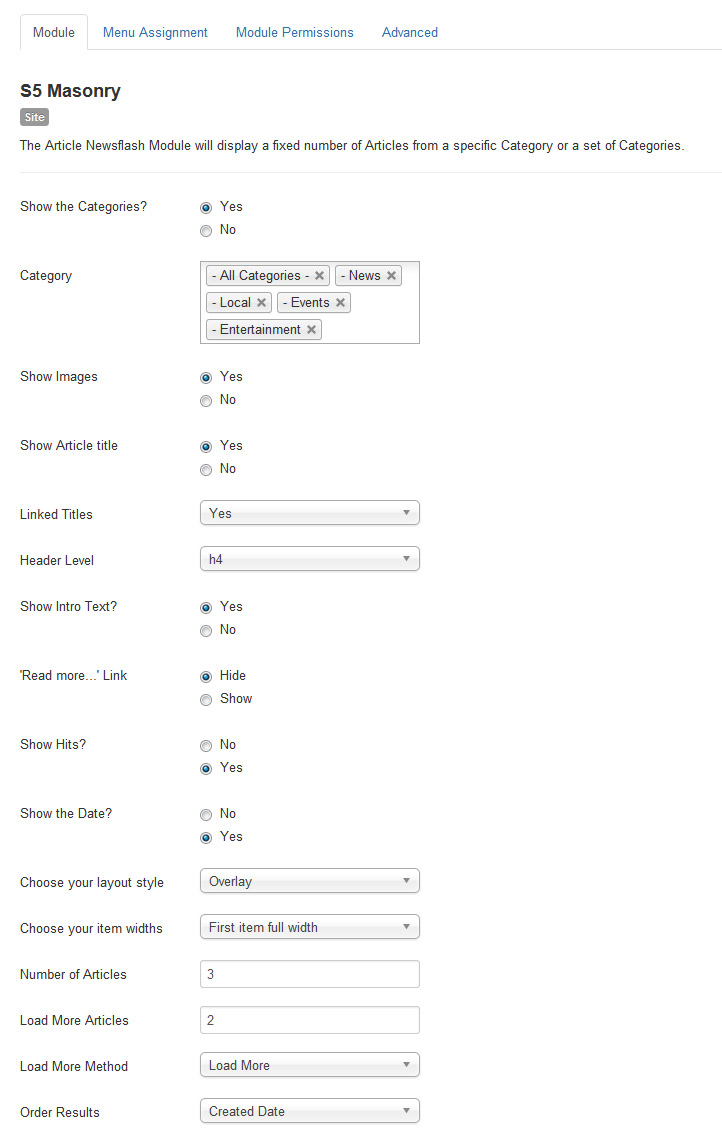
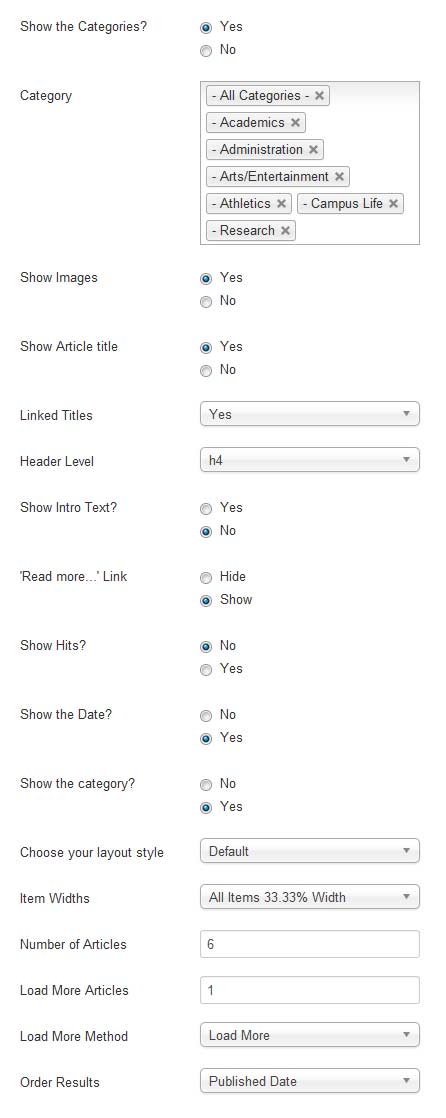
This is the S5 Masonry module published to the top_row2_1 position, with the class suffix " s5_highlightcolor2 s5_icon.ion-ios-people", be sure to include the space before the s5_highlightcolor2. For instructions on how to use setup the Masonry module please visit:
http://www.shape5.com/documentation/Joomla/Extensions/S5-Masonry
Settings for the Masonry module:
Custom_6 Position:
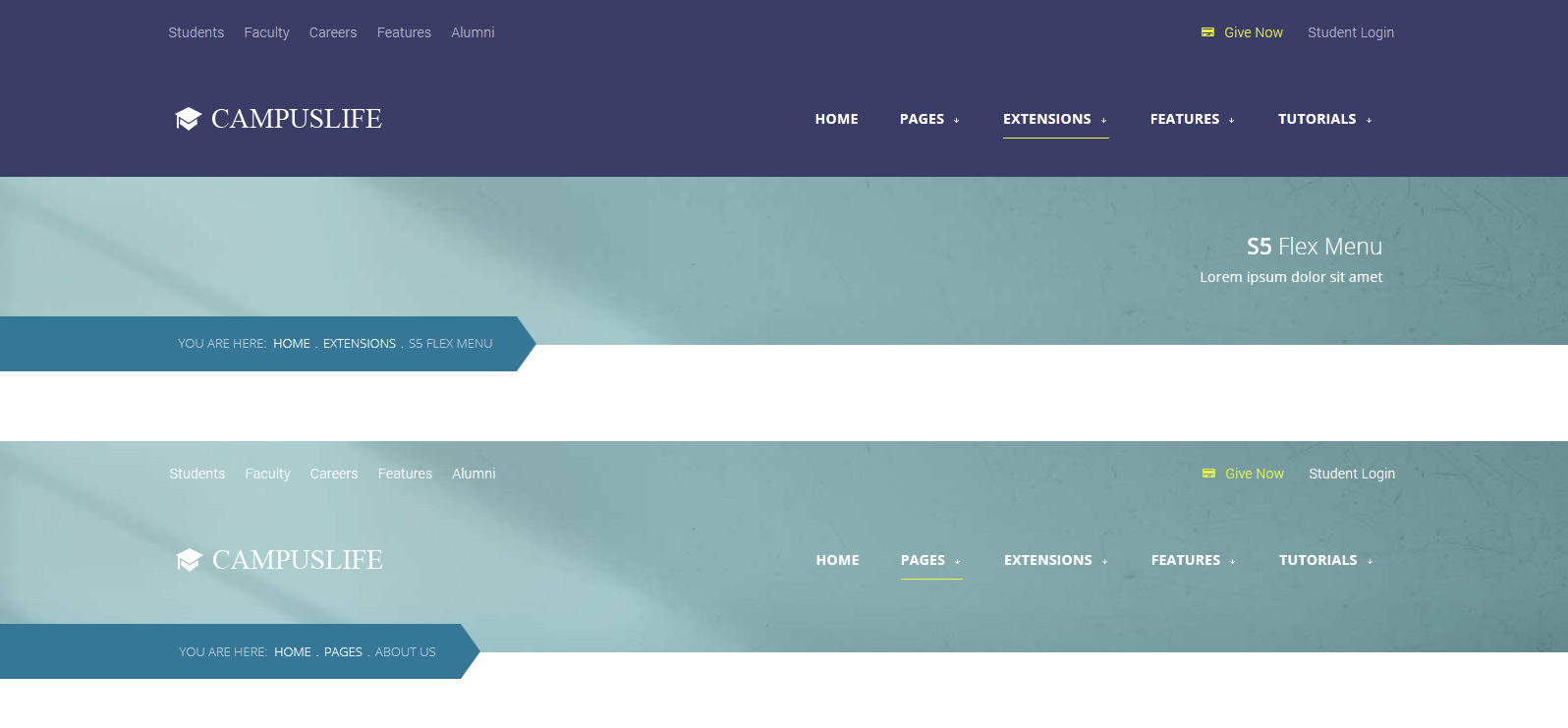
This is a custom html module published to the custom_6 position. You can see how the site looks with it published and then without. This is great for creating a title for certain pages.
Success Stories and more:
This is a custom HTML module published to the custom_5 position.
Code used for this area:
<div class="pages_darkcolor"><br>
<div class="pages_portfolio two"><br>
<div class="pages_padding module_round_box"><br>
<div class="pages_square"><br>
<div class="pages_50 pages_top_left"><br>
<div class="vertical_center"><br>
<div class="s5_highlightcolor3 student_size_font">92%</div><br>
Got jobs related to the degree they received for the year of summer/fall of 2015.</div>v
</div><br>
<div class="pages_50 pages_top_right"><br>
<div class="overlay_hover_outer"><br>
<div class="overlay_hover_inner"><br>
<div class="overlay_centered"><a href="#"> <span class="overlay_icon ion-ios-plus-outline"></span> </a></div><br>
</div><br>
<img alt="image" src="images/employeed.jpg" /></div><br>
</div><br>
<div style="clear: both;"></div><br>
</div><br>
<div style="clear: both;"></div><br>
<div class="pages_square"><br>
<div class="pages_50 pages_bottom_left"><br>
<div class="overlay_hover_outer"><br>
<div class="overlay_hover_inner"><br>
<div class="overlay_centered"><a href="#"> <span class="overlay_icon ion-ios-plus-outline"></span> </a></div><br>
</div><br>
<img alt="image" src="images/gpa.jpg" /></div><br>
</div><br>
<div class="pages_50 pages_bottom_right"><br>
<div class="vertical_center"><br>
<div class="s5_highlightcolor3 student_size_font">3.51</div><br>
Is the overall student GPA average for the year of summer/fall of 2015.</div><br>
</div><br>
<div style="clear: both;"></div><br>
</div><br>
</div><br>
</div><br>
<div class="pages_portfolio two main"><br>
<div class="pages_padding module_round_box"><br>
<div class="overlay_hover_outer"><br>
<div class="overlay_hover_inner2"><br>
<div class="overlay_centered"><br>
<h3 class="s5_mod_h3"><span class="s5_h3_first">Stories</span> <span class="s5_h3_last">of Success</span></h3><br>
<span class="hide_mobile"><div class="rounded_image"><img src="images/succes_storyimage.jpg" alt="success student" /></div></span><br>
<span class="student_name"> Emily Robertson</span> <br /><span class="hide_mobile"><span class="inner_text"> Lorem ipsum dolor sit amet, natum aeterno sanctus ei per, fastidii torquatos nam ex. An per quando ornatus platonem, suas prodesset vel ad per, fastidii torquatos nam ex. Lorem <br /><br /> An per quando ornatus platonem, suas prodesset vel ad per, fastidii torquatos nam ex. </span> <br /> <br /></span><a href="#" class="readon noarrow noback">Read More<span class="ion-android-arrow-forward"></span></a></div><br>
</div><br>
<img alt="image" src="images/success_stories.jpg" /></div><br>
</div><br>
</div><br>
</div><br>
Online Learning:
This is a custom html modules published to the top row 3_1 and top row 3_2 positions:
Set your schedule, pick your course and start learning. Lorem ipsum dolor sit amet, natum aeterno sanctus ei per, fastidii torquatos nam ex. Amet vitae prodesset ut qui, labores civibus appellantur pri ei, pro cu<br><br>
<a href="#" class="readon noarrow noback">More Info<span class="ion-android-arrow-forward"></span></a>
Testimonials - Tab Show:
This is the Tab Show module published to the above column 1_1 position with the module suffix of " verticalspacing" and a custom class of "-testimonial". We placed images on the "Position Selections And Button Options" tab and placed the arrows to show above and the tab buttons below and outside. For instructions on how to use setup the Tab Show module please visit:
http://www.shape5.com/documentation/Joomla/Extensions/S5-Tab-Show
Code used for this area:
âLorem ipsum dolor sit amet, natum aeterno sanctus ei per, fastidii torquatos nam ex. Amet vitae prodesset ut qui, labores civibus appellantur pri ei, pro cu tation dissentias. An per quando ornatus platonem, suas prodesset vel ad per, fastidii torquatos nam ex. Amet vitae prodesset ut qui, labores civibus appellantur prias. â<br /><br /> <span class="s5_highlightcolor2"><strong>Michelle Vacu</strong></span> <span class="s5testicon ion-university"></span> Class of 2010
Ion Icons is an iconic font that gives you scalable vector icons that can be customized by any font css command, such as size, color, backgrounds, hover effects and more. Below you will see several examples of this feature in action, but please visit http://ionicons.com/ for a full list of all icons available.
The S5 Quick Contact module is demo'd on this page. This module is a simple way for your visitors to get in contact with you. Sometimes full contact pages are just too much. If you're looking for an easy way to stay in contact with your visitors this module is for you. This module has fully configurable language settings, sends emails to a specified admin account, captcha spam protection and much more! And of course it's free!
The S5 Vertical Accordion module is demonstrated on the left side of this page.
This module contains up to 10 module positions that appear in an accordion function so you can publish any of your favorite modules or custom html modules to one of the accordion slides and keep your site clean and consolidated while giving it a nice effect. The styling of the module shown here is customized specifically for this template with css overrides, and cannot be used with any other template. The same module can be used on any template, but with default or other styling in its place.
Features at a Glance:
Responsive/Fluid layout
Set the width of the module
Onclick or Onmouseover trigger methods
Auto cycle or manual for transition
Set slide transition speed
Compatible with IE7+, Firefox, Opera 10.5+, Safari, Chrome
The Masonry module is demo'd on this page, and is a powerful module that pulls your article from a category or categories and can display them in masonry style format. The module automatically changes on screen resize to fit the screen a user is viewing them on. You can choose to output a "load more" button that will load a set number of articles you define via AJAX. The second method to load articles is "scroll to load" which will load articles once you scroll to the bottom of your screen. You simply assign an intro image under your "Image and Links" parameters area of your article and then if you choose to show it in the module it will show up. The intro text will show up if you've added text to your article before your read more button.
Features:
Choose to enable scroll to load or load more or neither
Show or hide category elector
Show or hide read more
Set how many articles are to be shown
Set how many articles are to load via AJAX button or scroll methods
Order articles by publish date, created date, random or ordering
Show or hide hits
Standard layout or hover layout
Responsive ready and more, view the below admin screenshot to see all the features









 Code used for custom_7 position: