
- Detaljer
Demo 1:

Demo 2:
Demo 2 Image Tool Tip
Demo 3:
Demo 3 Image Tool Tip
- Detaljer
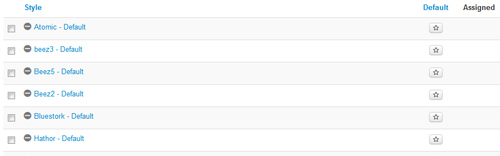
- 01In the backend of Joomla go menu item Extensions/Template Manager.
- 02Click on the title of the template.
- 03This will bring you to the template manager screen where you can edit the template's parameters.
- 04Click save when you are done
- Detaljer
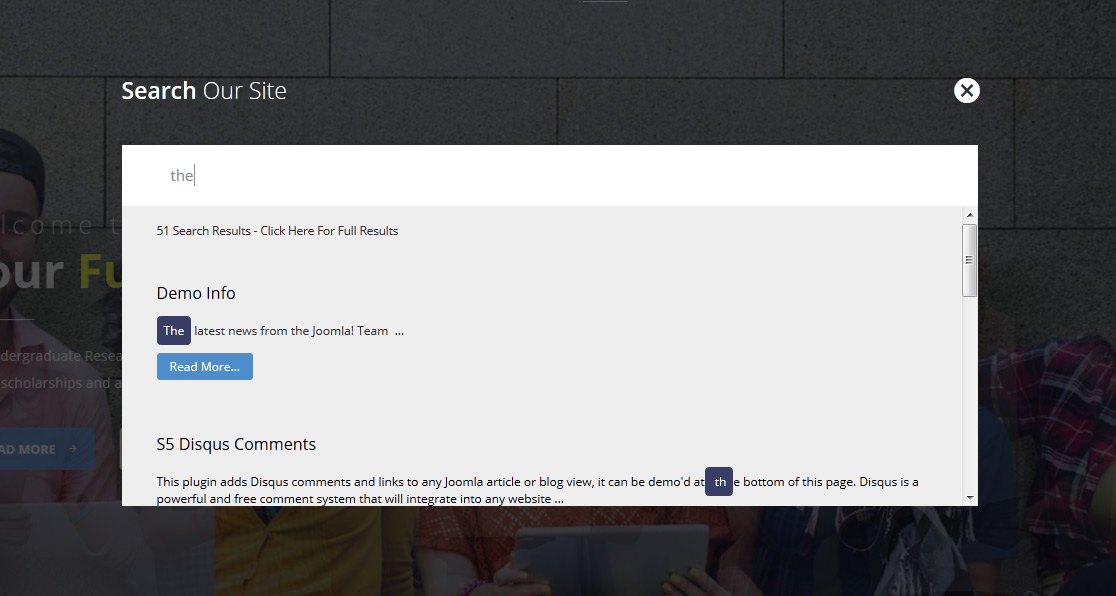
Allow your users to search quickly and without loading or refreshing pages with our amazing ajax search module! Simply publish the module to the 'search' position.
- Detaljer
Every template built on Vertex also comes with its own unique template specific options applicable to that particular template such as highlight colors, social icons, and much more. These features are in addition to the standard functions of Vertex, and are still controlled through the very user friendly interface of Vertex. This page will document the features specific to this template.
Theme Specific Configuration Interface of Vertex
Below is a screenshot that shows all the template specific features available in the user friendly Vertex admin: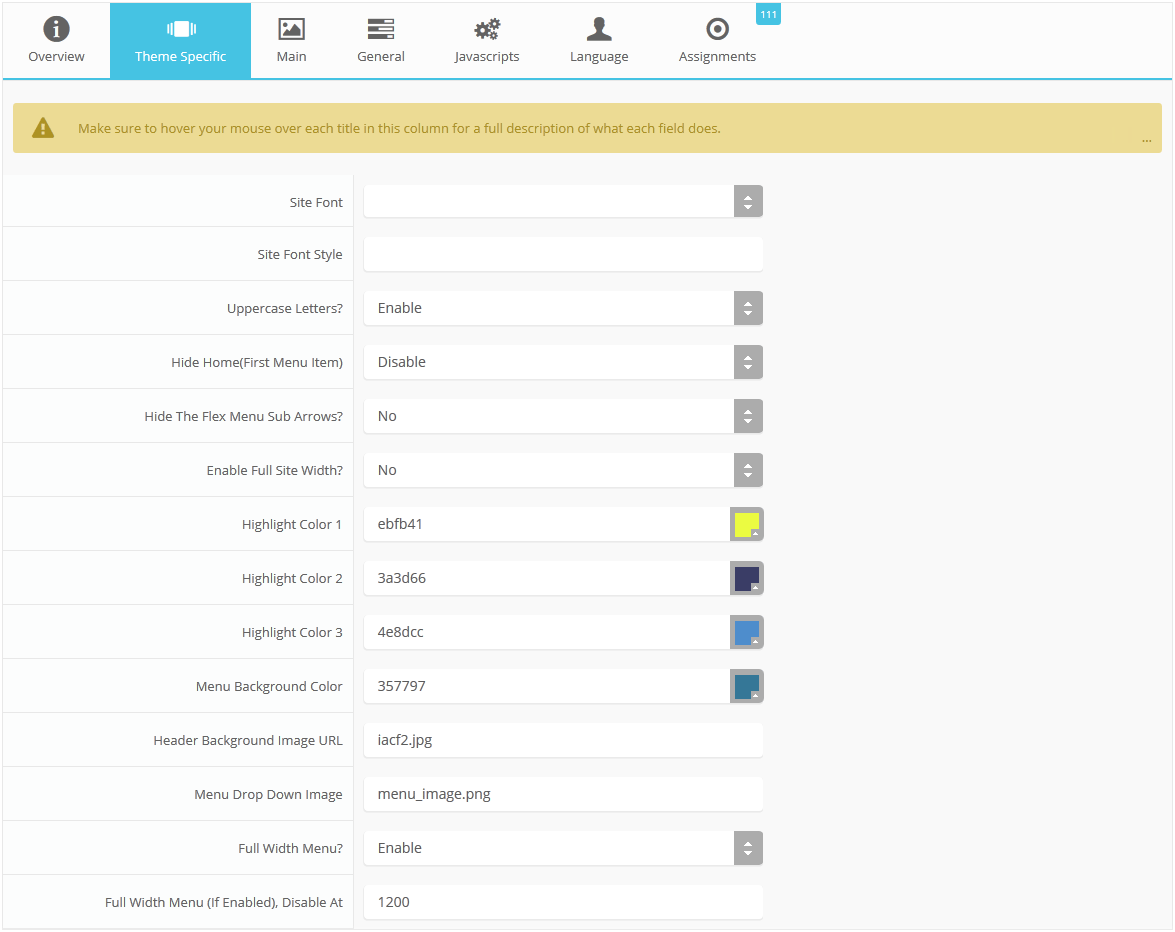
Custom Highlight Colors
Stylize your site with any color you want. Set your own custom color scheme with the built in highlight color. These colors control menu items, titles, buttons, hover over effects, backgrounds, and more. You can set this color to any color that you want. Below is an example so you can see how this works. In addition to these color options, Vertex itself is loaded with background color and images options under the Main / Layout page in the template configuration.
Social Icons
The social icons will only show when a module is published to the "custom_7" module position. The icon will show in the lower right corner of the screen. On hover it will show what you have published to the "custom_7" position.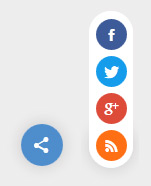
Uppercase Letters
Choose to enable or disable uppercase letters on most menu items, buttons, titles and more.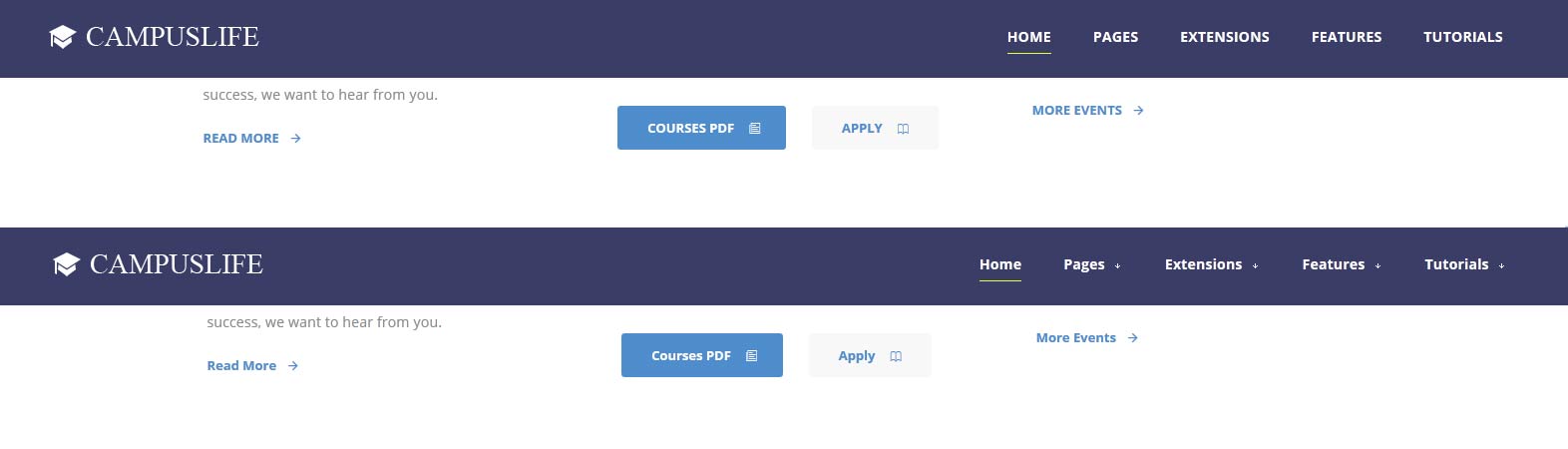
Hide Menu Arrows
With this option you can disable the menu item sub menu arrows on first level parent items.
Full Site Width
If this is enabled it will extend the site all the way to left/right of your browser window. By default the template will display wrapped and centered on a light gray background.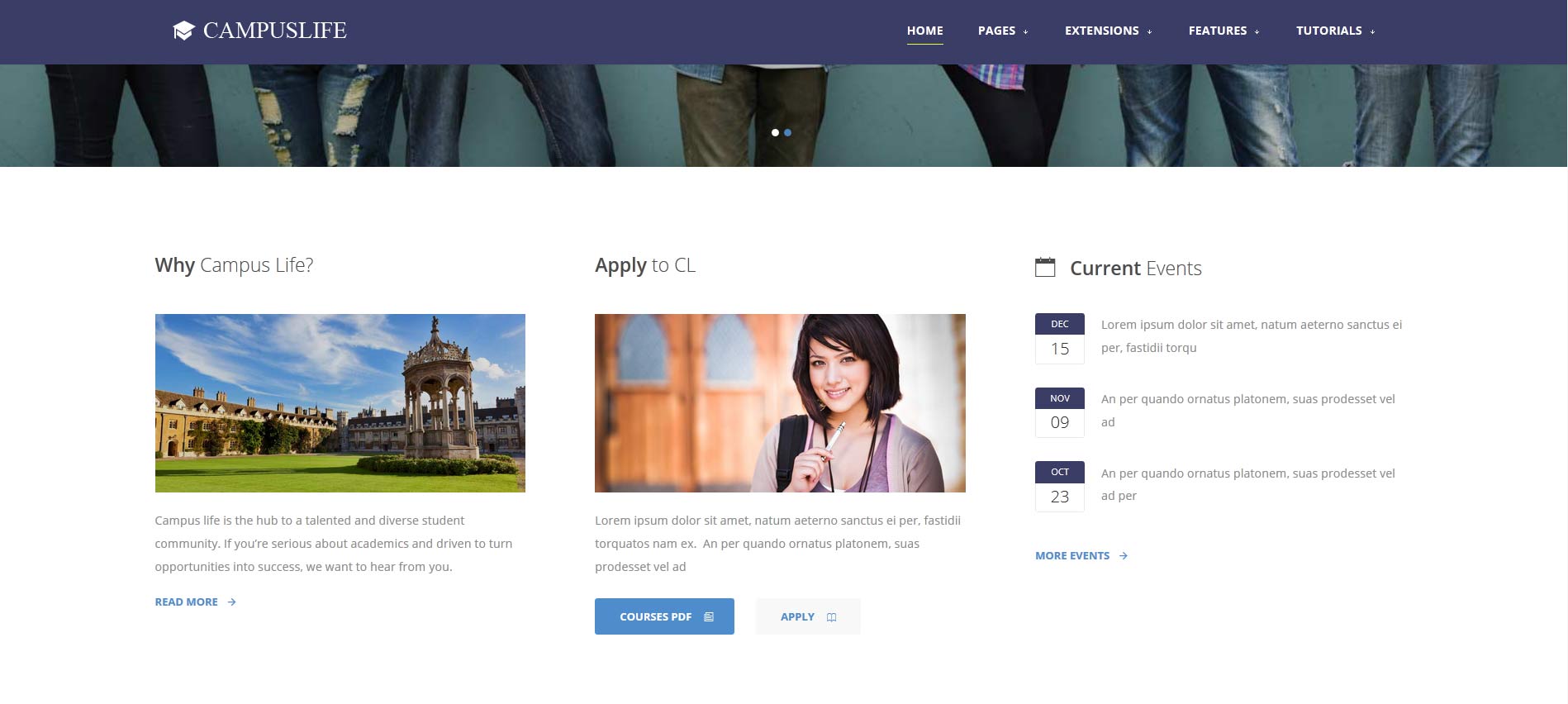
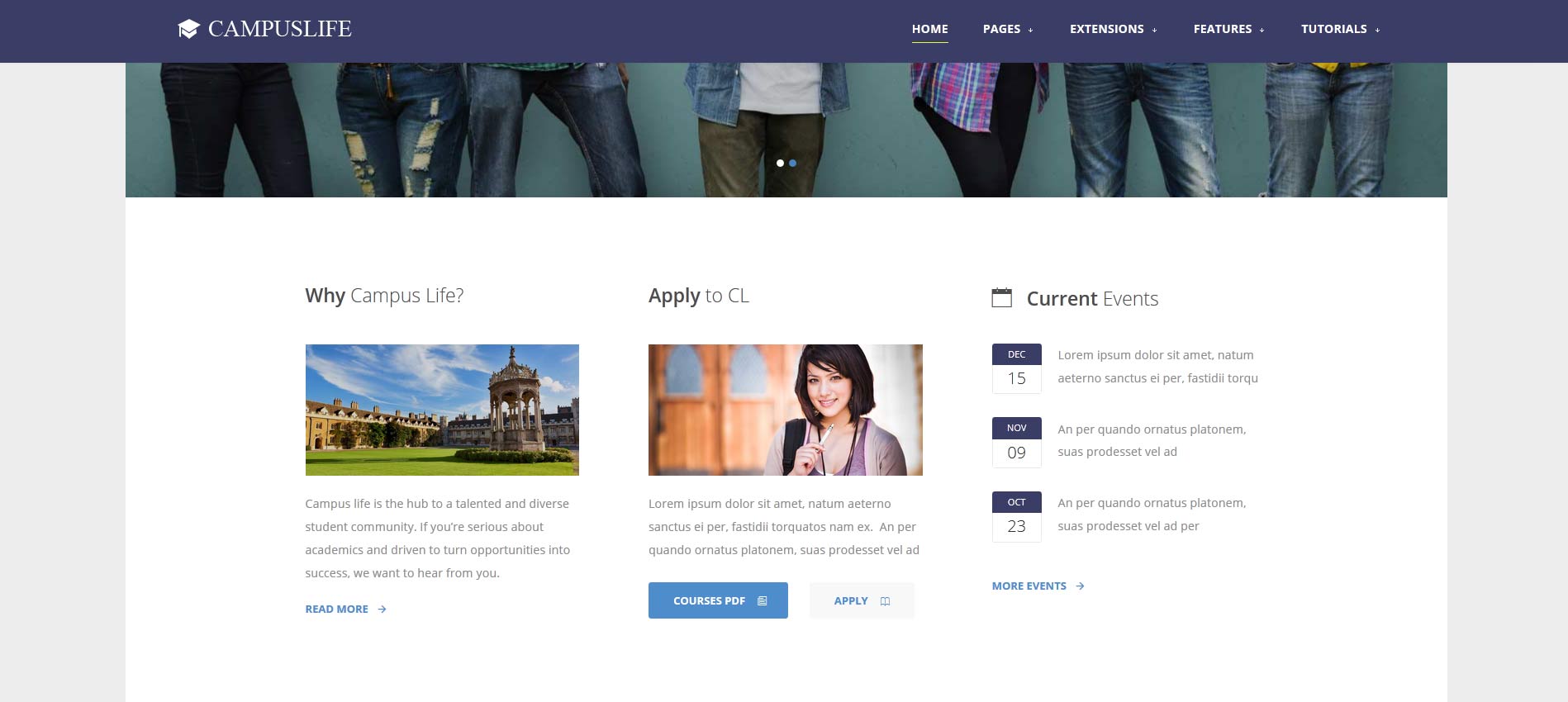
Demo - Full Screen Width Demo - Wrapped Screen Width
Menu Width: Full or Standard
This feature is great for websites with the need for large menus with many items and we have added it this month to the design. This is an option that can be turned on and off. When enabled you can choose at which screen width the menu reverts to the normal menu style away from the full width: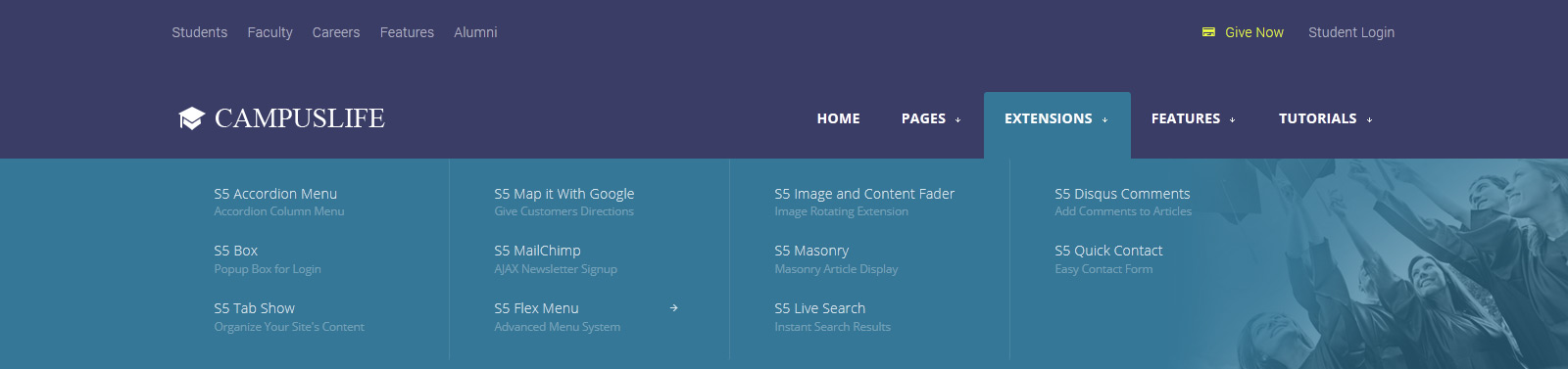

Demo - Full Menu Width Demo - Standard Menu Width
Menu Background Image
This design includes an option to add a background image to the dropdowns in the menu system. You can easily add a URL to a background image via the theme specific area of Vertex.
Custom6 - Page Title
The "custom6" module position allows you to publish any module and have it show right below the menu and above the content area (top image below). If you don't publish a module to the "custom6" position it will appear like the second image below without a solid background color on the header area.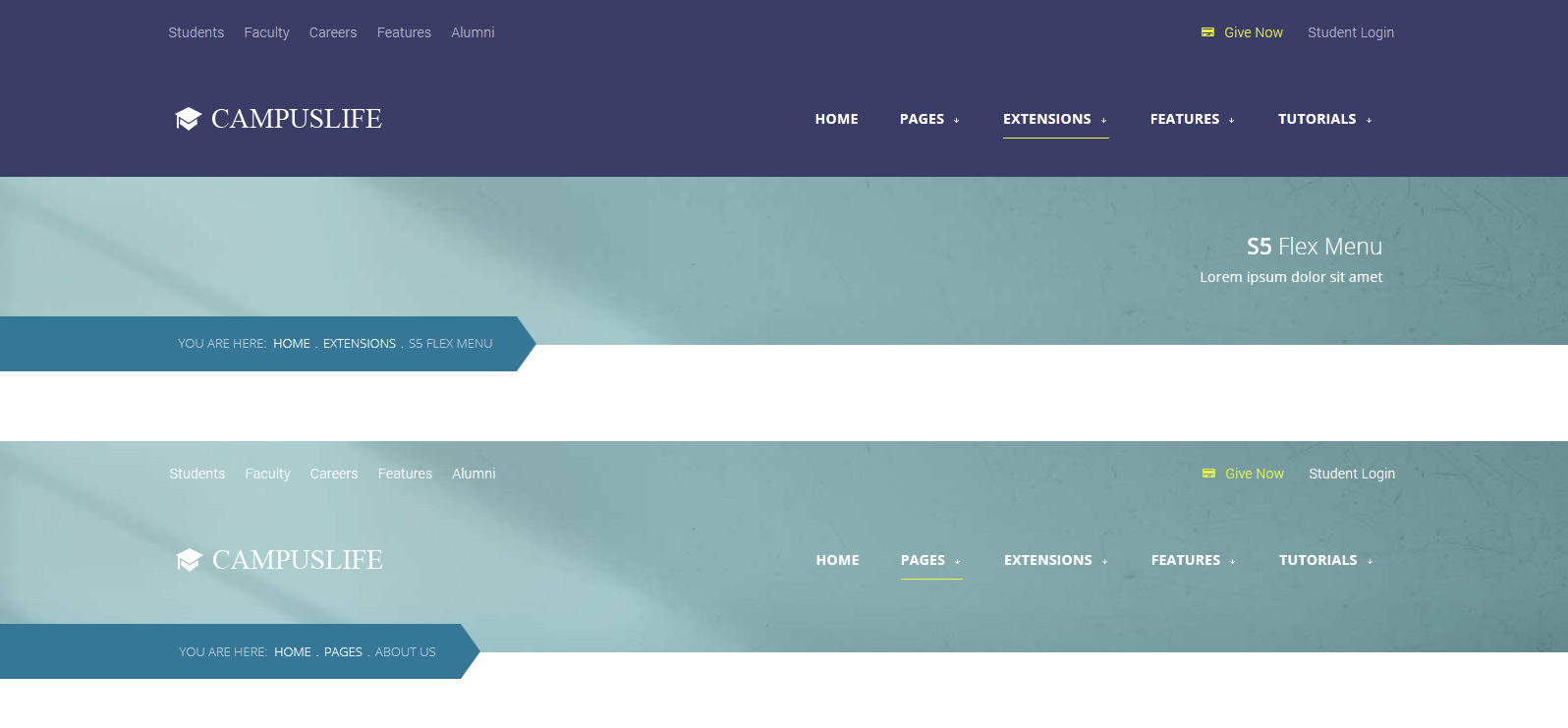
Kunena Forum
This month we've included some CSS overrides for the Kunena forum. Once you install the forum be sure to set your template to "Crypsis" in the admin area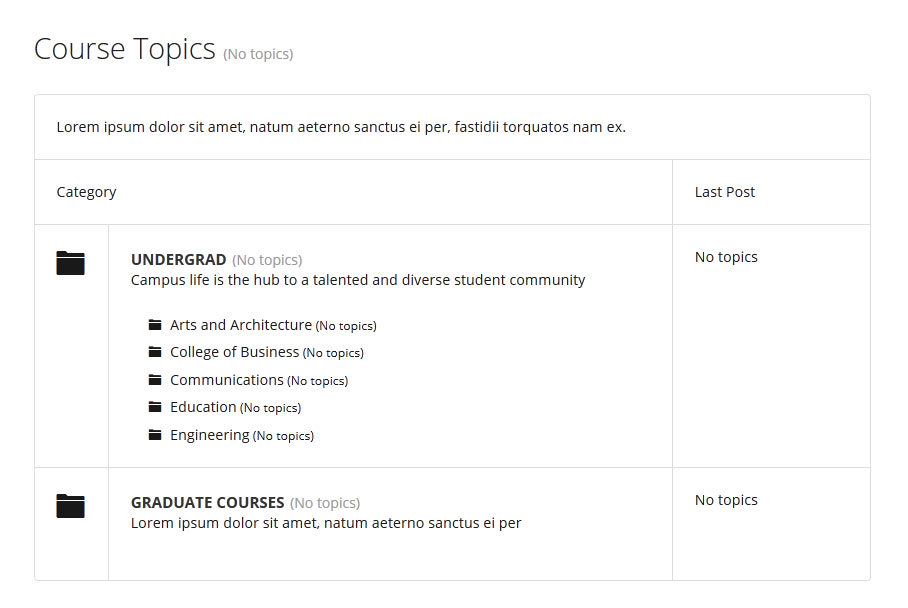
- Detaljer
- Detaljer
Drop Caps
L orem ipsum dolor sit amet, consectetur adipiscing elit. Mauris tristique lobortis orci ac lacinia. Fusce eu purus eget diam vehicula auctor nec eu elit. Morbi consequat facilisis orci vel malesuada. Donec ultrices molestie sollicitudin. Morbi consequat facilisis orci vel malesuada. Donec ultrices molestie sollicitudin. Mauris tristique lobortis orci ac lacinia. Mauris tristique lobortis orci ac lacinia.
L orem ipsum dolor sit amet, consectetur adipiscing elit. Mauris tristique lobortis orci ac lacinia. Fusce eu purus eget diam vehicula auctor nec eu elit. Morbi consequat facilisis orci vel malesuada. Donec ultrices molestie sollicitudin. Morbi consequat facilisis orci vel malesuada. Donec ultrices molestie sollicitudin. Mauris tristique lobortis orci ac lacinia. Mauris tristique lobortis orci ac lacinia.
Porem ipsum dolor sit amet, consectetur adipiscing elit. Mauris tristique lobortis orci ac lacinia. Fusce eu purus eget diam vehicula auctor nec eu elit. Morbi consequat facilisis orci vel malesuada. Donec ultrices molestie sollicitudin. Morbi consequat facilisis orci vel malesuada. Donec ultrices molestie sollicitudin. Mauris tristique lobortis orci ac lacinia. Mauris tristique lobortis orci ac lacinia.
Porem ipsum dolor sit amet, consectetur adipiscing elit. Mauris tristique lobortis orci ac lacinia. Fusce eu purus eget diam vehicula auctor nec eu elit. Morbi consequat facilisis orci vel malesuada. Donec ultrices molestie sollicitudin. Morbi consequat facilisis orci vel malesuada. Donec ultrices molestie sollicitudin. Mauris tristique lobortis orci ac lacinia. Mauris tristique lobortis orci ac lacinia.
Video Overlay
The Video Above Is Not Included And May Be Downloaded From: http://www.videvo.net/video/working-on-laptop-1/3517
1. Enter the url of your video in the video src area.
2. Enter your background image under the video_overlay_wrap style area. This is the background image that appears before the video loads and at 1024px. Please note that all videos disable at 1024px due to restrictions on tablets and phones.
3. Enter an optional max-height under the video_overlay_wrap style area. This will prevent the video from becoming larger than the height specified.
4. Enter an optional min-height under the video_overlay_wrap style area. This will prevent the video from becoming smaller than the height specified. This is very useful for when the video is disabled at 750px, and the background image shows in its place.
4. Enter an optional width under the video_overlay_wrap style area. This will stretch the video to a specified length, but will be cropped off by the surrounding parent div.
4. Enter your desired text in the video_overlay_text_wrap_inner area. Text should be minimal to avoid any space issues on smaller screens; videos maintain ratio and decrease on smaller devices.
<video muted autoplay="autoplay" loop="loop" src="/images/video.mp4"></video>
<div class="video_overlay_text_wrap">
<div class="video_overlay_text_wrap_inner">
Lorem ipsum dolor sit amet, consectetur adipiscing elit. Morbi efficitur scelerisque ligula, sit amet fermentum metus.
<div style="clear:both;height:0px;"></div>
</div>
</div>
</div>
Social Icons
Ion Icons must be enabled to use these icons.
<a href="/" class="social_icon ion-social-twitter"></a>
<a href="/" class="social_icon ion-social-googleplus"></a>
<a href="/" class="social_icon ion-social-rss"></a>
<a href="/" class="social_icon ion-social-pinterest"></a>
Notifications
Images
This is an image with the "boxed" class applied:
This is an image with the "boxed_white" class applied:
This is an image with the "boxed_black" class applied:
This is an image with the "padded" class applied:
This is an image with the "full_width" class applied. This can also be done automatically in the template configuration. Be sure to review our Vertex Guide here for other full width image options.

Headings
Heading 1
Heading 2
Heading 3
Heading 4
Heading 5
Ion Icons
<div class="icon_hover">
<a href="/" class="ion-link icon_element"></a>
</div>
<div class="icon_non_hover">
<span class="ion-headphone icon_element"></span>
</div>
</div>
Click here for more icon examples
Dates
<div class="date_wrapper">
<div class="date_top">
AUG
</div>
<div class="date_bottom">
22
</div>
</div>
<div class="date_text_wrap">
<span class="date_text1"><a href="/">Top Sample Text</a></span>
<span class="date_text2">When: August 22, 2014 at 7:00pm</span>
</div>
<div style="clear:both"></div>
</div>
Overlay

Michelle Wright
Senior Developer

Photos credits by Daniele Zedda, JohnONolan, Daniele Zedda, Daniele Zedda, AllansBrain, rolands.lakis
<div class="overlay_outer four">
<div class="overlay_inner">
<div class="overlay_hover_outer">
<div class="overlay_hover_inner">
<div class="overlay_socialicons">
<a class="overlay_facebook" href="https://www.facebook.com/shape5.templates" target="_blank"></a>
<a class="overlay_twitter" href="https://twitter.com/shape_5" target="_blank"></a>
</div>
</div>
<img src="http://www.shape5.com/demo/images/general/team/team1.jpg" alt="team1"/>
</div>
<br>
Mike Summerfield
<br>
<span style="color:#a8a8a8;">CEO/Owner</span>
<br> </div>
</div>
Video Play Overlay

<div class="overlay_hover_outer">
<div class="overlay_hover_video">
<div class="overlay_centered">
<a href="http://www.youtube.com/v/VGiGHQeOqII" id="youtube" class="s5mb" title="Youtube.com Video">
<span class="ion-play ion-play-size"></span>
</a>
<div class="s5_multibox youtube">UP: Carl and Ellie </div>
</div>
</div>
<img src="http://www.shape5.com/demo/images/general/typography_vidplay.jpg" alt="iphone vid" />
</div>
</div>
Image Hover Zoom
<div class="image_hover_zoom_text">
Overlay Text
</div>
<img src="http://www.shape5.com/demo/images/general/typography_vidplay.jpg" alt="" />
</div>
Misc
<a> With readon class applied:readon
<span> With uppercase class applied:
uppercase
This is a sample blockquote. Use <blockquote><p>Your content goes here!</p></blockquote> to create a blockquote.
#s5_code { width: 30px; color: #fff; line-height: 45px; }
- This is an Ordered List
- Congue Quisque augue elit dolor nibh.
- Condimentum elte quis.
- Opsum dolor sit amet consectetuer.
- This is an Unordered List
- Congue Quisque augue elit dolor nibh.
- Condimentum elte quis.
- Opsum dolor sit amet consectetuer.
- This is an Unordered List with class ul_arrow
- Congue Quisque augue elit dolor nibh.
- Condimentum elte quis.
- Opsum dolor sit amet consectetuer.
- This is an Unordered List with class ul_star
- Congue Quisque augue elit dolor nibh.
- Condimentum elte quis.
- Opsum dolor sit amet consectetuer.
- This is an Unordered List with class ul_bullet
- Congue Quisque augue elit dolor nibh.
- Condimentum elte quis.
- Opsum dolor sit amet consectetuer.
The following list will support plain text such as numbers of ion icons, class="ul_circle_content":
- 01Lorem ipsum dolor sit amet, consectetur adipiscing elit. Sed ut mattis quam. Suspendisse tempor mollis porta. Quisque consequat justo risus, et venenatis erat consectetur sit amet. Curabitur varius tortor metus, non convallis felis fermentum sed. Nam varius justo nulla, et ultricies augue venenatis ut. Proin tempor aliquam dapibus. Pellentesque euismod vehicula est, a euismod lacus feugiat sit amet.
- 02Lorem ipsum dolor sit amet, consectetur adipiscing elit. Sed ut mattis quam. Suspendisse tempor mollis porta. Quisque consequat justo risus, et venenatis erat consectetur sit amet. Curabitur varius tortor metus, non convallis felis fermentum sed. Nam varius justo nulla, et ultricies augue venenatis ut. Proin tempor aliquam dapibus. Pellentesque euismod vehicula est, a euismod lacus feugiat sit amet.
- 03Lorem ipsum dolor sit amet, consectetur adipiscing elit. Sed ut mattis quam. Suspendisse tempor mollis porta. Quisque consequat justo risus, et venenatis erat consectetur sit amet. Curabitur varius tortor metus, non convallis felis fermentum sed. Nam varius justo nulla, et ultricies augue venenatis ut. Proin tempor aliquam dapibus. Pellentesque euismod vehicula est, a euismod lacus feugiat sit amet.
- Lorem ipsum dolor sit amet, consectetur adipiscing elit. Sed ut mattis quam. Suspendisse tempor mollis porta. Quisque consequat justo risus, et venenatis erat consectetur sit amet. Curabitur varius tortor metus, non convallis felis fermentum sed. Nam varius justo nulla, et ultricies augue venenatis ut. Proin tempor aliquam dapibus. Pellentesque euismod vehicula est, a euismod lacus feugiat sit amet.
The following list will support lists up to number 9, add the following class to the UL wrapping the below LI elements, class="ul_numbers":
- This is a sample styled number list <li class="li_number1">Your content goes here!</li>
- This is a sample styled number list <li class="li_number2">Your content goes here!</li>
- This is a sample styled number list <li class="li_number3">Your content goes here!</li>
- This is a sample styled number list <li class="li_number4">Your content goes here!</li>
Price Table
<div class="s5_pricetable_3">
<div class="s5_pricetable_column">
<div class="s5_pricetable_column_padding">
<div class="s5_title">Basic</div>
<div class="s5_price_wrap">
<span class="dollarsign">$</span><span class="price">49</span><span class="month">/per month</span>
</div>
<div class="s5_options">
<div class="s5_option">
Unlimited Space & Traffic
</div>
<div class="s5_option">
99.9% Server Uptime
</div>
<div class="s5_option">
24/7 Customer Care
</div>
<div class="s5_option">
30 Days Money Back
</div>
</div>
<div class="s5_horizontalrule"></div>
<div class="s5_buttoncenter"><a class="button s5_pricetable" href="#">Choose</a></div>
</div>
</div>
<div class="s5_pricetable_column recommended">
<div class="s5_pricetable_column_padding">
<div class="s5_title">Standard</div>
<div class="s5_price_wrap">
<span class="dollarsign">$</span><span class="price">79</span><span class="month">/per month</span>
</div>
<div class="s5_options">
<div class="s5_option">
Unlimited Space & Traffic
</div>
<div class="s5_option">
99.9% Server Uptime
</div>
<div class="s5_option">
24/7 Customer Care
</div>
<div class="s5_option">
30 Days Money Back
</div>
<div class="s5_option">
FREE Domain Name
</div>
<div class="s5_option">
Personal Concierge
</div>
</div>
<div class="s5_horizontalrule"></div>
<div class="s5_buttoncenter"><a class="button s5_pricetable" href="#">Choose</a></div>
</div>
</div>
<div class="s5_pricetable_column">
<div class="s5_pricetable_column_padding">
<div class="s5_title">Premium</div>
<div class="s5_price_wrap">
<span class="dollarsign">$</span><span class="price">99</span><span class="month">/per month</span>
</div>
<div class="s5_options">
<div class="s5_option">
Unlimited Space & Traffic
</div>
<div class="s5_option">
99.9% Server Uptime
</div>
<div class="s5_option">
24/7 Customer Care
</div>
<div class="s5_option">
30 Days Money Back
</div>
</div>
<div class="s5_horizontalrule"></div>
<div class="s5_buttoncenter"><a class="button s5_pricetable" href="#">Choose</a></div>
</div>
</div>
<div style="clear:both;"></div>
</div>
